We offer over 20 free online interior page templates, and you can easily complete the layout printing in just a few simple steps!

Note book is no longer limited to specific layouts and quantities. You can easily print personalized interior pages according to your preferences and personal habits.

Please provide the following steps, to avoid unnecessary printing errors and paper wastage :

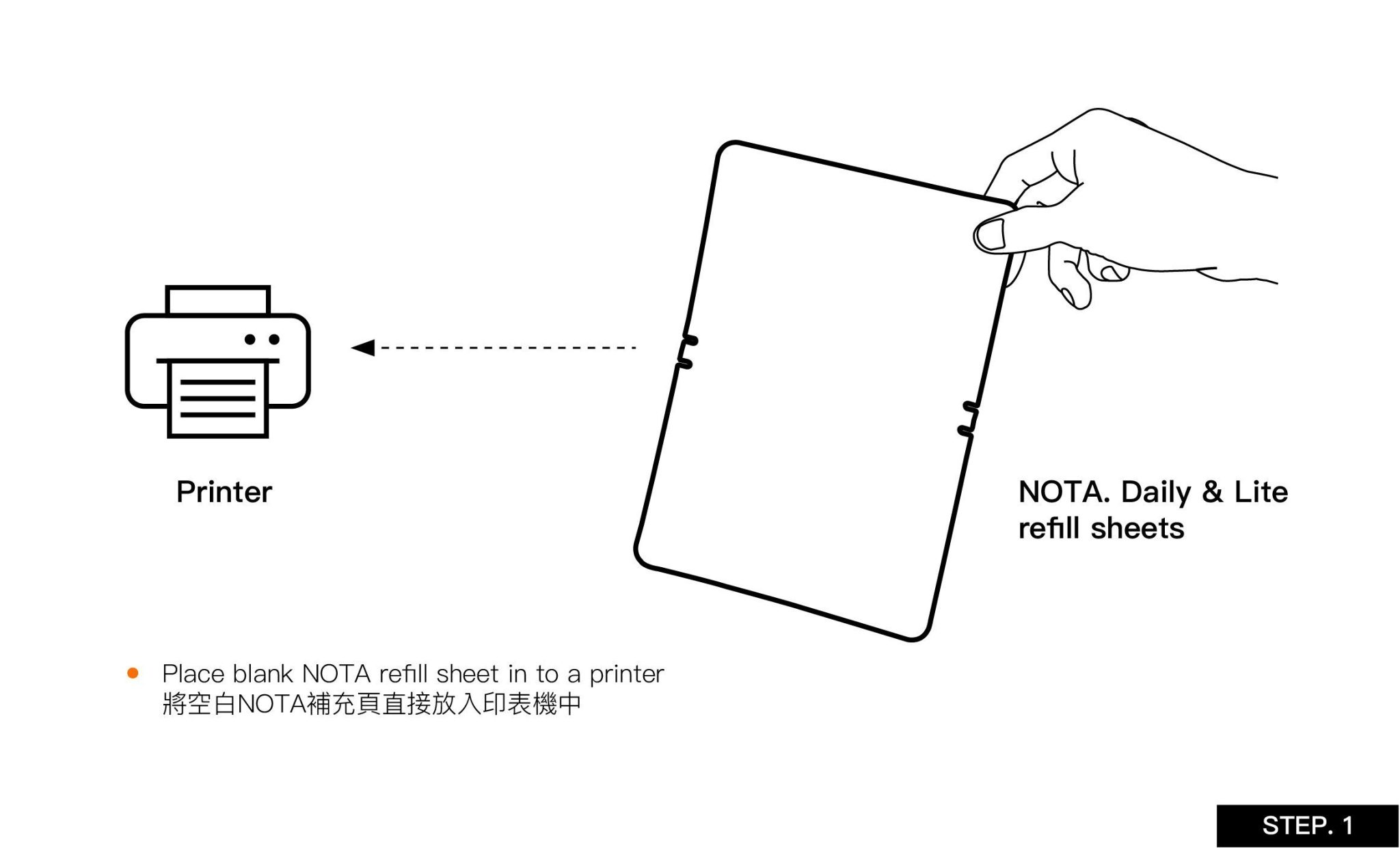
Step 1 :
Place blank NOTA refile sheet in to a printer.

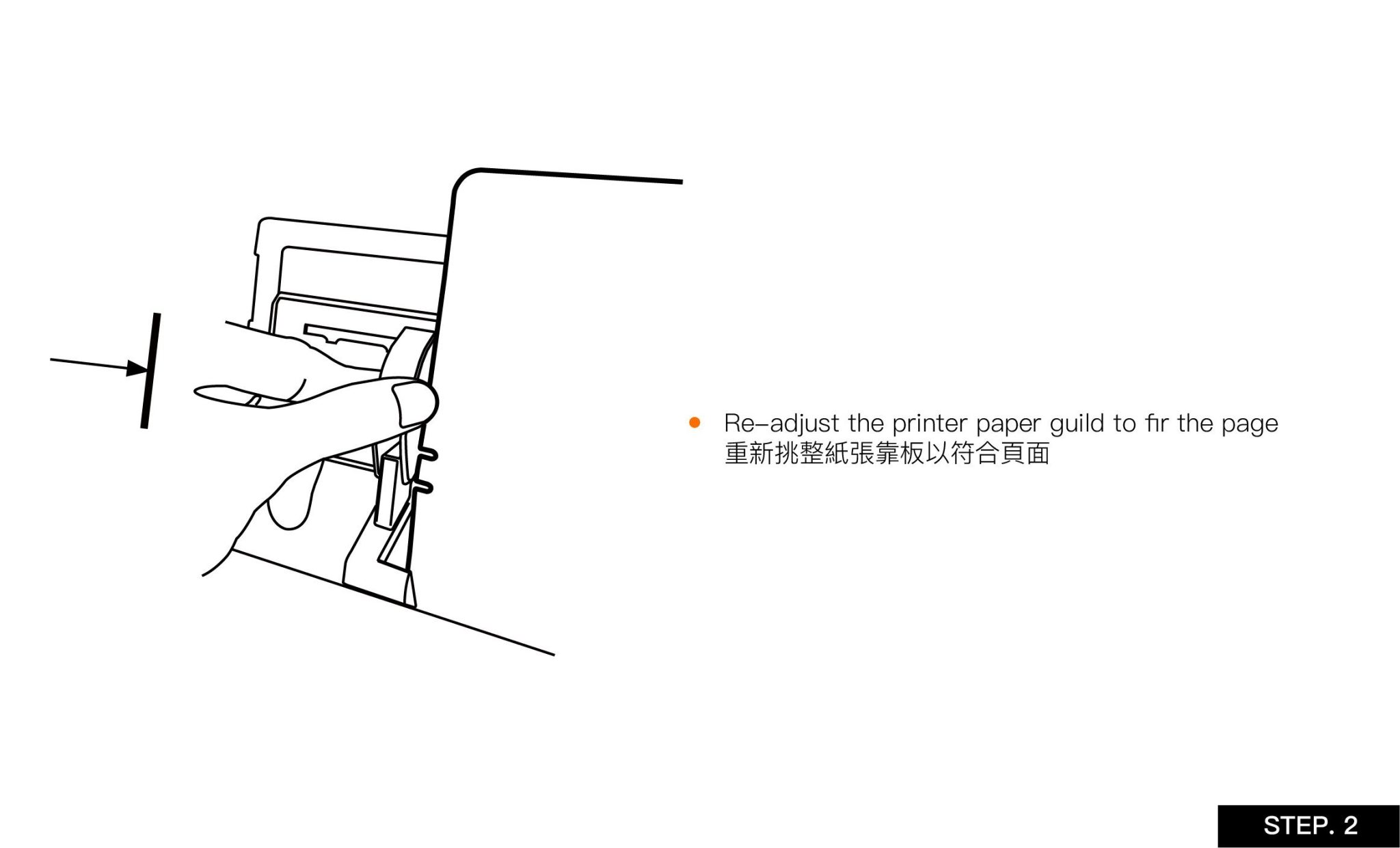
Step 2 :
Re-adjust the printer paper guild to fir the page.

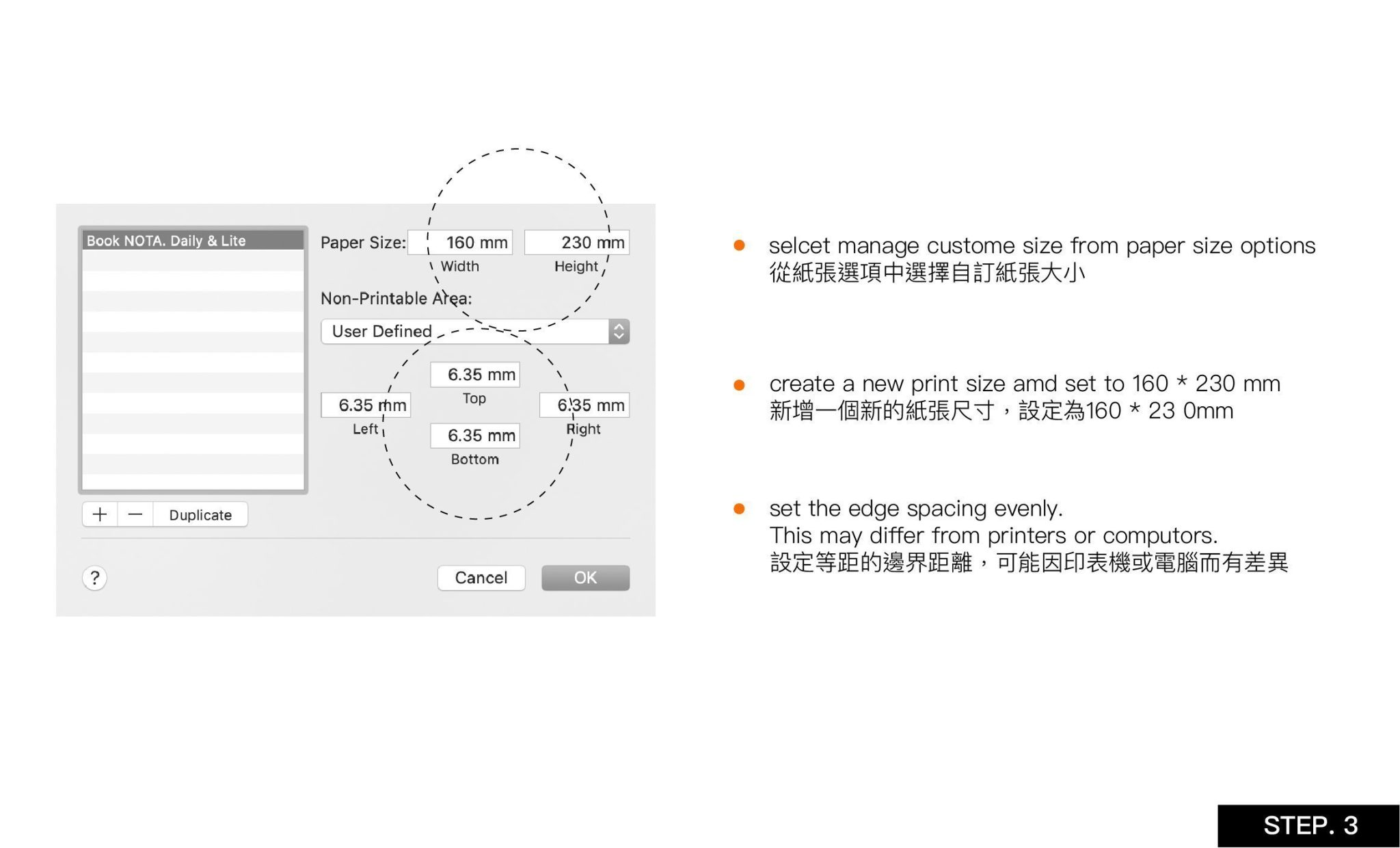
Step 3 :
Open the printer print settings on your computer and follow the marked instructions in the image below. (Using Daily / Lite as an example)


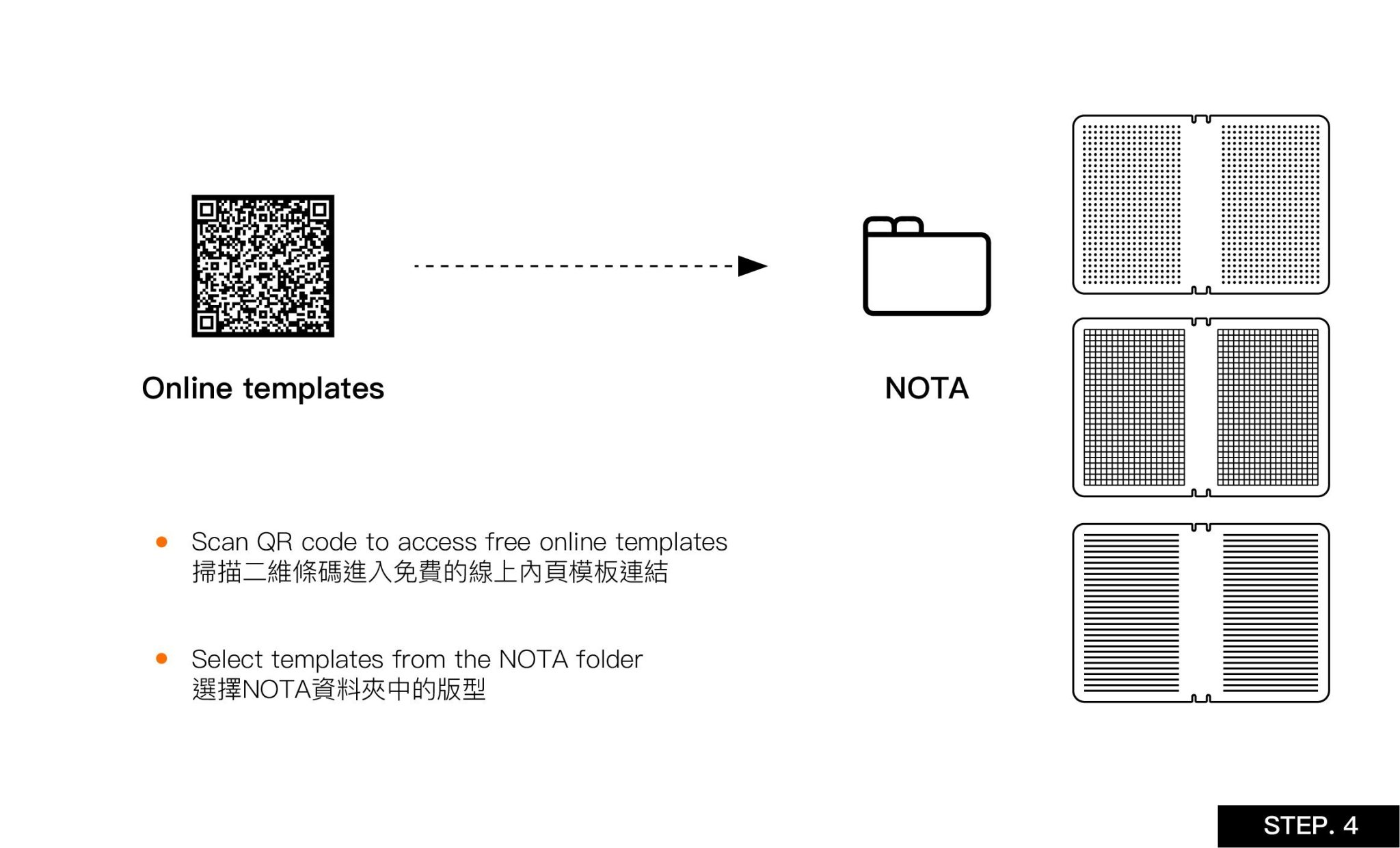
Step 4 :
Visit the free online interior page templates webpage and choose a template file that you like and suits your personal usage habits.


Step 5 :
After downloading the selected template, you can proceed to print! (Recommendation: Double-check the printing settings to ensure accuracy).


Friendly notice:Due to the mass differences between printers and computers. Therefore, one may have to play and experiment around with the settings.


ANTOU design studio(博盛創意有限公司)
Tax ID 統一編號 83696912|Representative 負責人 張晏誠
Terms 購物須知|Shipping 運送|Returns 退換貨|Payment 付款|Privacy 隱私權

106, Taipei City, Da’an District, Section 2, Keelung Rd, No.190,10F-3

10675 台北市大安區 基隆路二段190號10樓之3

+886-2-87320016
info@antou1010.com

Add to cart